Cutting and Crafting
Rhinestone Templates for Cricut and CAMS: How to Create and Sell Custom Bling Shirts
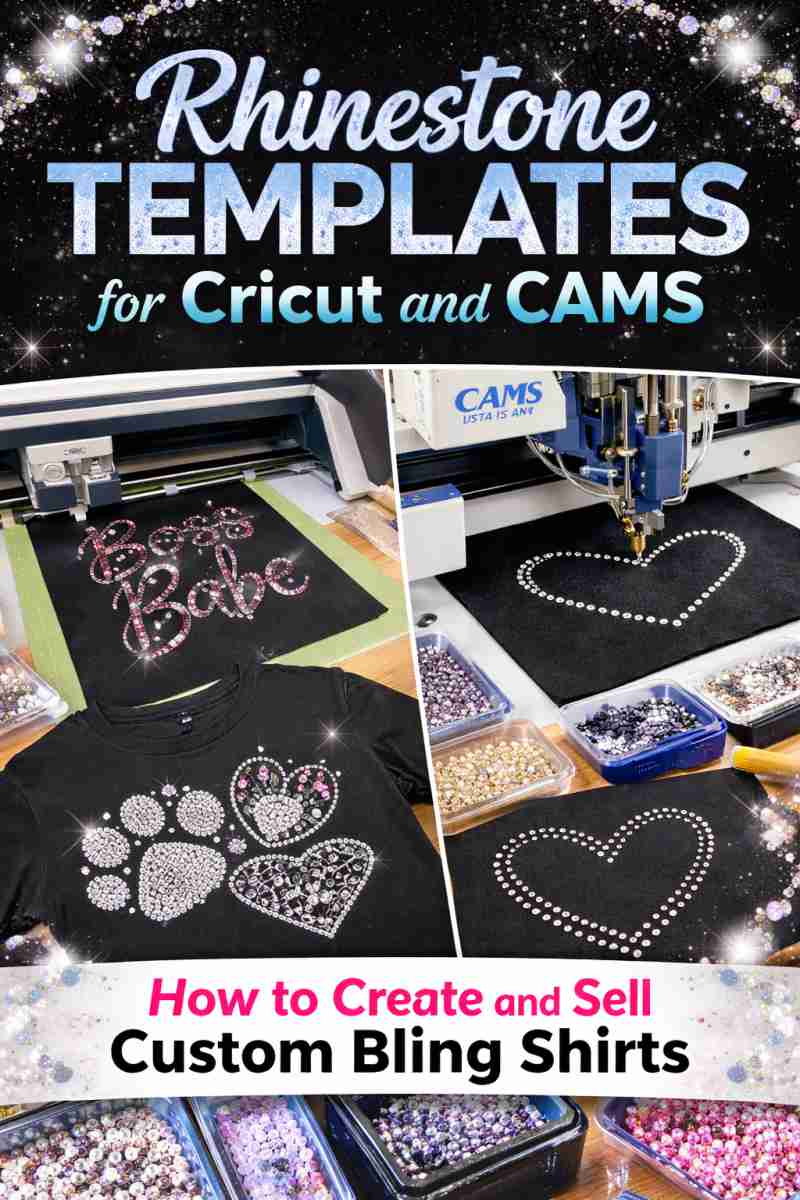
Rhinestone Templates for Cricut and CAMS: How to Create and Sell Custom Bling Shirts
Rhinestone templates for Cricut have completely changed the way small businesses and crafters create custom apparel. What used to take hours of manual stone placement can now be done in minutes using cutting machines like Cricut or fully automatic systems like CAMS.
If you want to design eye-catching bling shirts, personalize garments for clients, or even start a profitable T-shirt business from home, rhinestone templates are the fastest and most professional solution.
In this guide, you’ll learn exactly how rhinestone templates work, how to use them with Cricut and CAMS machines, and how to turn those designs into products people actually buy.

What Are Rhinestone Templates?
Rhinestone templates are digital design files that allow you to cut perfect stone placement guides or automatically place rhinestones directly onto fabric.
Instead of placing each crystal by hand, you:
- Cut a stencil with your machine
- Brush stones into the holes
- Transfer them to your shirt
- Press with heat
Or, if you use an automatic machine like CAMS or DECOR, the stones are placed for you instantly.
The result?
Cleaner layouts.
Perfect spacing.
Professional results every time.
Why Use Rhinestone Templates for Cricut?
Using rhinestone templates for Cricut gives small creators the same quality that large production shops offer.
Here’s why they’re so popular:
- Faster production time
- Consistent stone alignment
- Professional finish
- Less wasted rhinestones
- Easy to scale for bulk orders
With Cricut or Silhouette, you can cut flock, template material, or stencil vinyl in minutes. That means you can produce multiple shirts in one afternoon instead of just one or two.
For Etsy sellers and local businesses, this is a game changer.
How to Use Rhinestone Templates with Cricut (Step by Step)

Getting started is easier than most people think.
Step 1 – Download your template
Choose a professional SVG rhinestone file with correct spacing and stone sizes.
Step 2 – Upload to Cricut Design Space
Resize if needed and set your material to flock or stencil vinyl.
Step 3 – Cut the template
Your Cricut cuts all the tiny holes automatically.
Step 4 – Brush rhinestones
Spread stones across the template. They fall perfectly into place.
Step 5 – Heat press
Transfer the design to your shirt using heat.
Done. You now have a sparkling custom garment ready to sell.
Using CAMS or Automatic Rhinestone Machines
If you want higher production and faster turnaround, automatic machines like CAMS, DECOR, or Yiwu take things even further.
Instead of cutting stencils, these machines:
- Read your digital rhinestone design
- Pick each stone automatically
- Place stones directly on the garment
This allows you to produce dozens or even hundreds of bling shirts per day.
That’s why many growing apparel businesses upgrade from Cricut to CAMS once orders increase.
The good news?
The same rhinestone templates work for both systems.

How to Create Designs That Actually Sell
Not every rhinestone design makes money.
The best sellers usually:
- Feature bold typography
- Include trendy phrases
- Target specific niches (sports, moms, glam, birthdays, teams)
- Use clean spacing and high contrast
- Shine under light
Think like your customer.
They don’t buy “art.”
They buy statements.
Examples:
- Game day shirts
- Birthday bling tees
- Cheer & dance teams
- Mom life designs
- Glam fashion looks
Simple + readable + sparkly always wins.
Start Selling Custom Bling Shirts from Home
Here’s where the opportunity gets exciting.
With rhinestone templates, you can:
- Sell finished shirts locally
- Offer custom orders
- Open an Etsy shop
- Sell digital templates
- Or do both
Many creators start with just a Cricut and a heat press, then scale into full production.
Low investment.
High margins.
Premium look.
That’s why rhinestone apparel keeps growing every year.
Where to Get Professional Rhinestone Templates


If you want clean cuts and perfect spacing, avoid random free files. Poorly made templates waste stones and ruin transfers.
Professional designs are:
- Properly spaced
- Tested on real machines
- Ready in SVG/EPS/DXF formats
- Compatible with Cricut, Cameo, Brother and CAMS
You can browse ready-to-use rhinestone templates here:
👉 https://bgartdesigner.com/product-category/rhinestone/
These files are optimized for fast cutting and professional results, so you can focus on selling instead of fixing designs.
Final Thoughts
Rhinestone templates for Cricut are more than just design files. They’re a business tool.
They help you work faster, look more professional, and create products customers love to wear.
Whether you use a Cricut at home or a CAMS machine in a shop, the process is the same: great designs + quality templates = profitable bling shirts.
Start small, stay consistent, and let your designs sparkle.
Your next bestseller might be just one template away.
